
Style Presets Now Available in the SDK, MCP, and API
- Type: New capability
- Published: 2026-11-10
- Effective: 2026-11-10
- Scope: Developers using the SDK, MCP, intelligent drawing API, and rendering API
- Action required: Keep your existing template integration, use a template containing style presets, and assign the corresponding semantic roles to objects. The SDK template panel requires version 2.16.0 and explicit configuration.
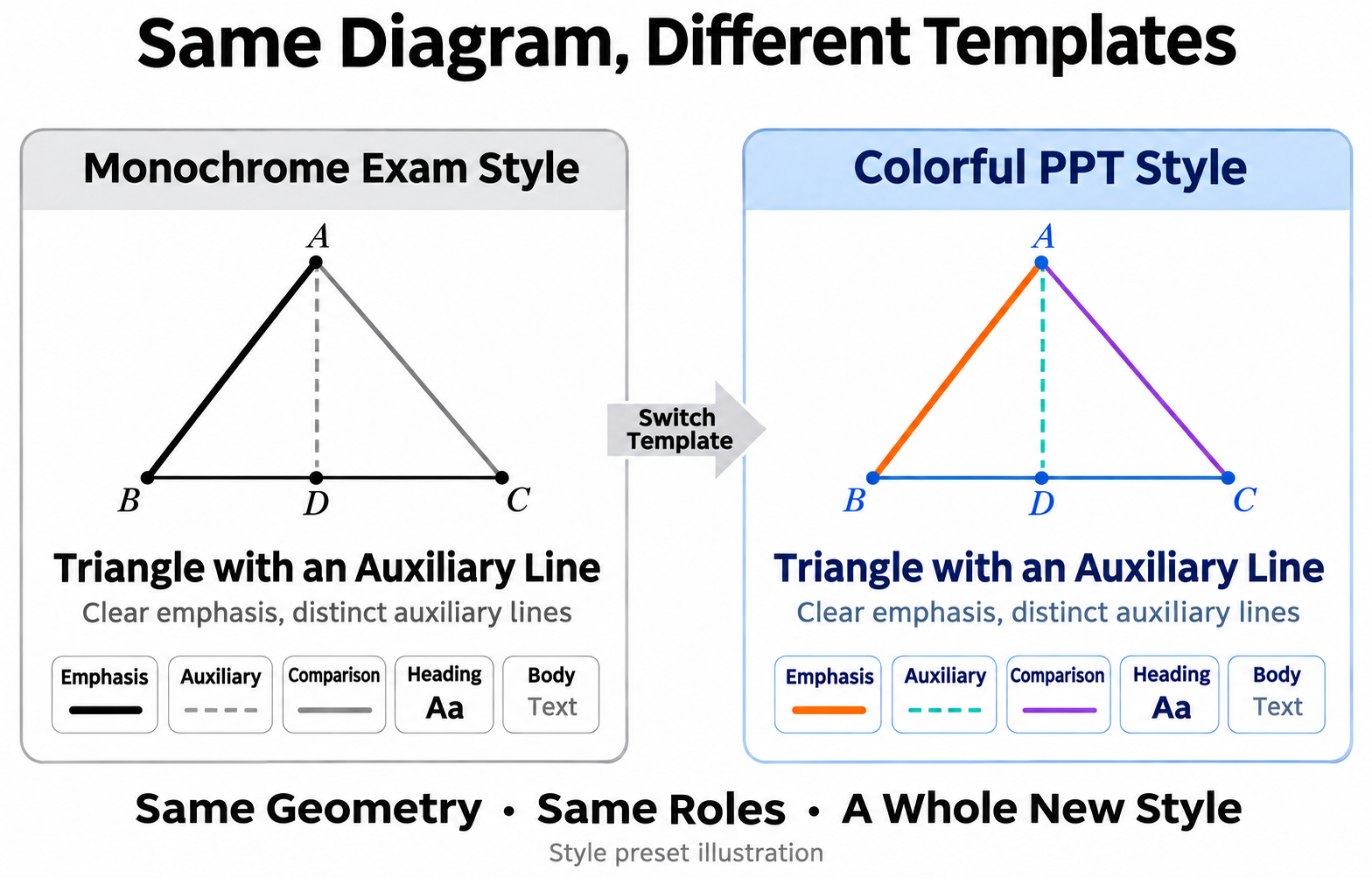
Automatically style key elements, auxiliary objects, comparisons, headings, and body text when generating diagrams. Switch templates to change the style of the whole diagram.
From shared defaults to styles by semantic role
Previously, templates provided default styles by object type, with one set of defaults each for points, lines, text, and so on. Templates can now also contain multiple style presets, assigning semantic roles such as emphasis, auxiliary, comparison, heading, and body text to objects. Each role has its own style definitions.
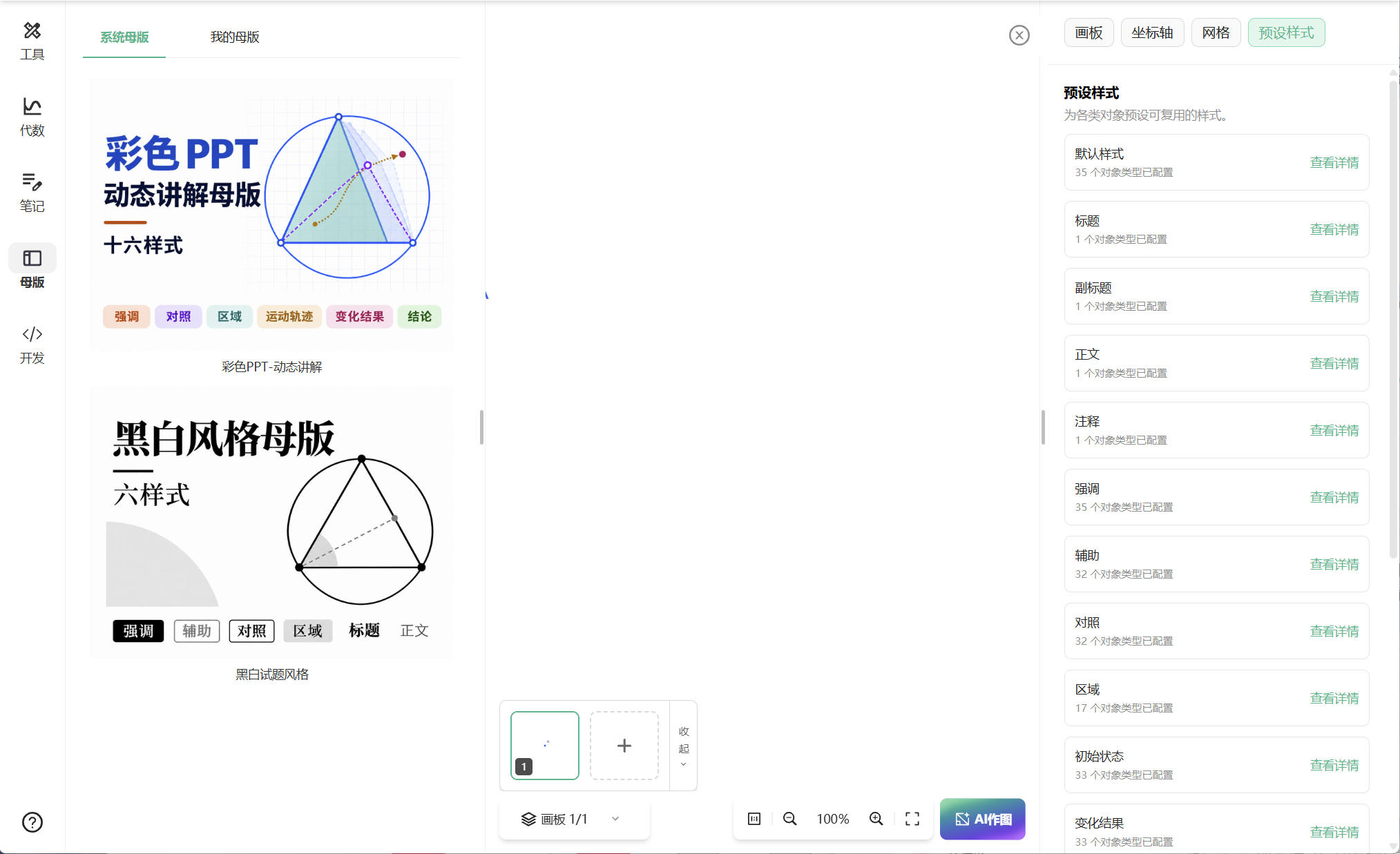
A template contains multiple style presets, each with its own style definitions for a semantic role.
| Purpose in the diagram | Style preset | Benefit |
|---|---|---|
| Points, lines, or regions that need to stand out | Emphasis | Help readers quickly identify key elements |
| Auxiliary lines and points | Auxiliary | Distinguish supporting construction from the main figure while preserving geometric relationships |
| Objects being compared | Comparison | Make different objects or states easier to identify |
| Diagram titles and explanatory text | Heading, body text | Keep text hierarchy and typography consistent |
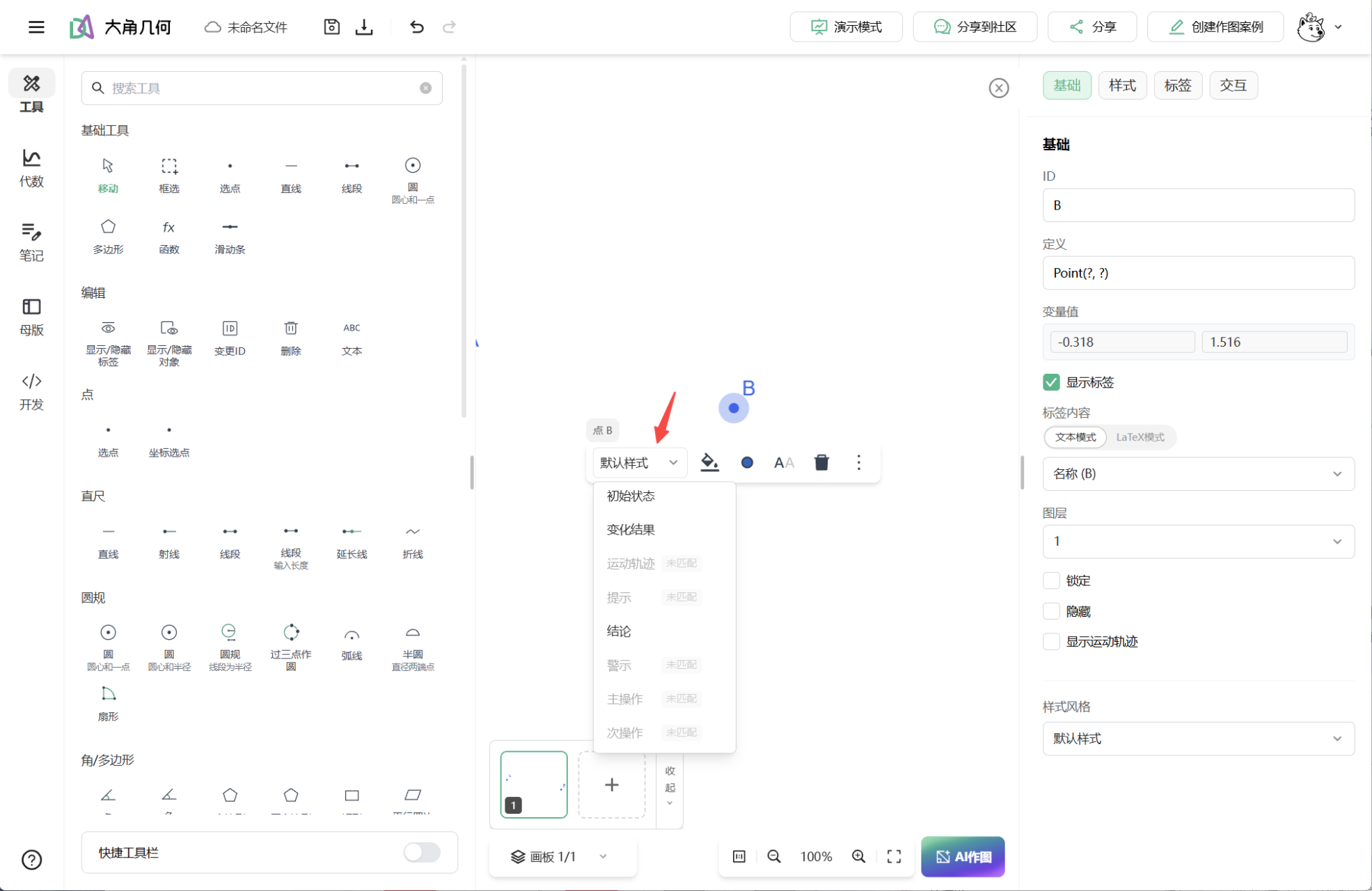
Preset names and their appearance are defined by the template. During generation, ask the AI to assign styles according to these semantic roles. When editing an existing diagram, select an object and choose the corresponding preset from its style options.
Keep using your existing template integration
Style presets are included in template data. The SDK, MCP, and API continue to use their existing template capabilities, with full backward compatibility for existing data.
Open template management and export an existing template containing the presets you need. You can also edit and save your own template on the Dino-GSP main site, then export its data.
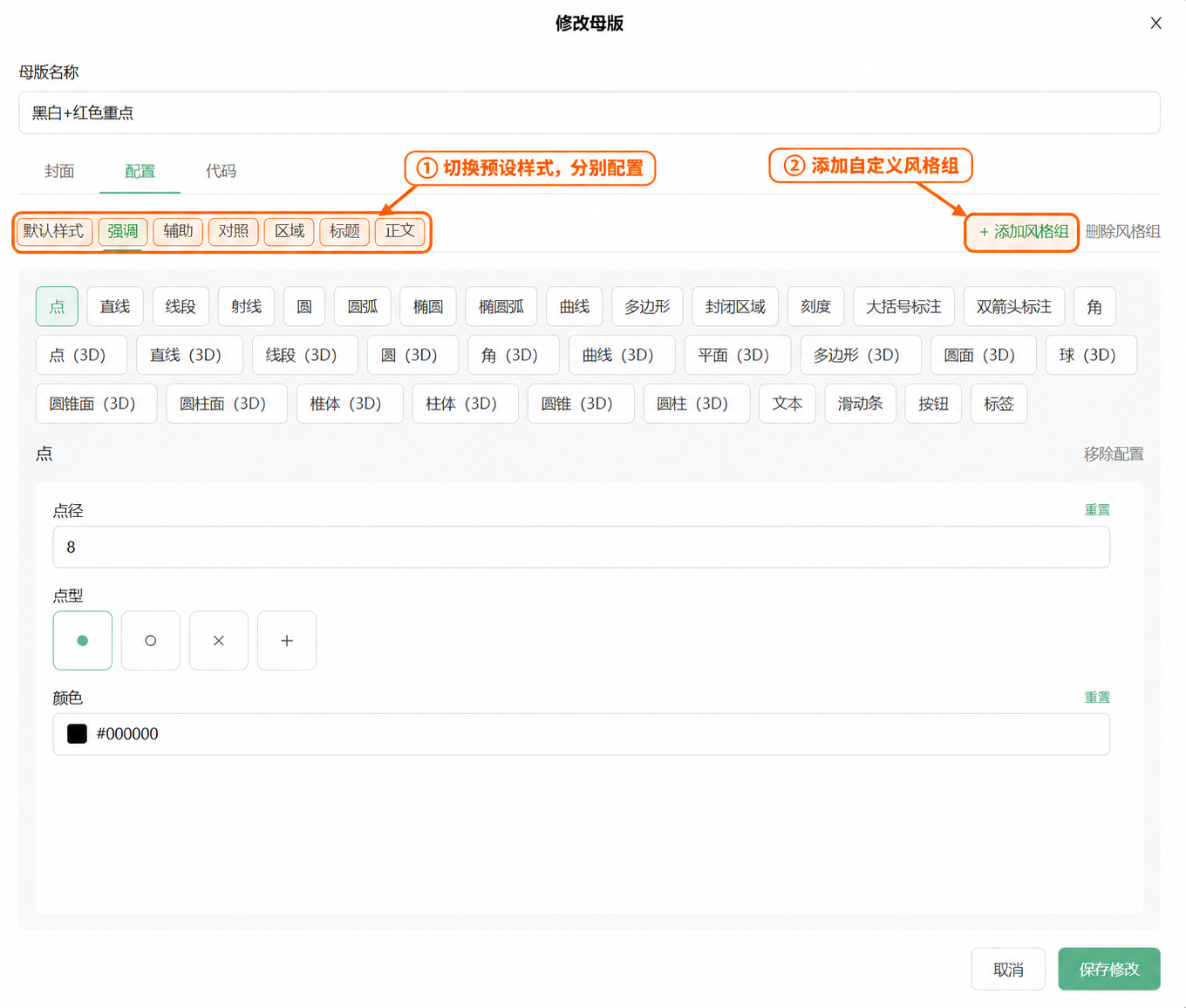
Load or pass the complete template data through your existing integration.
Assign semantic roles to objects when drawing, using preset names already defined in the template.
| Integration | Entry point |
|---|---|
| SDK editor or presentation mode | Continue calling mode.setMasterTemplate(template) with the complete template JSON string |
| MCP | Continue loading the template with load_template, then ask the AI to draw using its style presets |
| Intelligent drawing API | Pass the template JSON string through template when creating a task, and describe each object's semantic role in the drawing prompt |
| Rendering API | Continue passing the template object through template to render objects according to their preset assignments in the project |
SDK 2.16.0: Show a template panel with your own template data
SDK editor mode now supports a template panel. Enable the template entry on the left of the canvas and provide your own system template list through a callback, allowing users to preview and apply templates inside the embedded editor.
- Set
ui.masterTemplatePanel: trueto show the panel. It is disabled by default. - Provide the system template list through
masterTemplates.listSystem. Each item includesid,name, andcontent, which holds the complete template JSON string. - Data can come from your host application's API or local template files, allowing you to reuse your existing template management workflow.
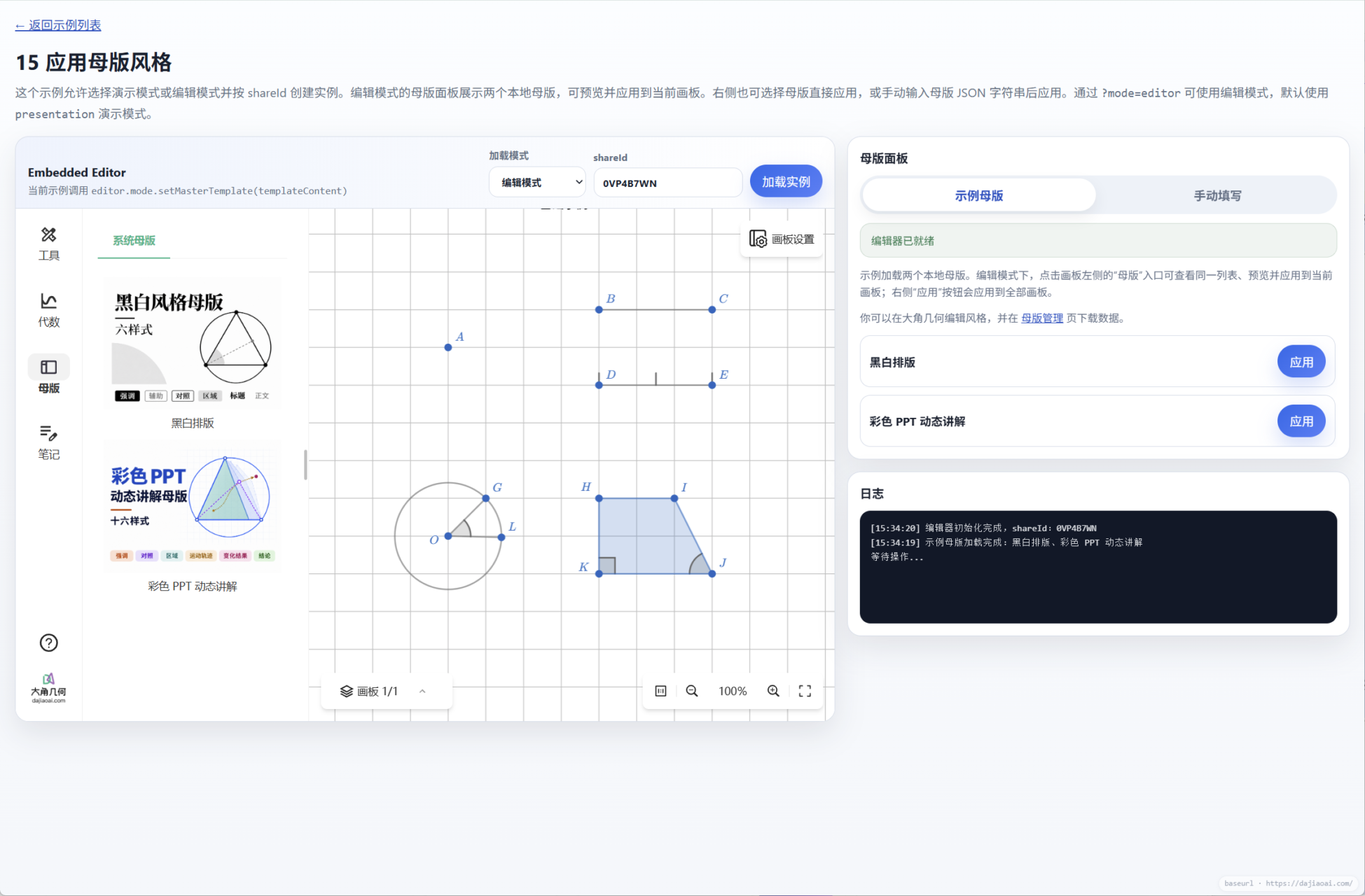
Upgrade to SDK 2.16.0 to use this capability. Self-hosted embedded pages also need a corresponding update. See System Template Panel for complete code and field descriptions.
Try it now
- SDK template example: Preview and apply sample templates, or enter template JSON manually to try changing the style of a whole diagram.
- Intelligent drawing API Playground: Open the Playground on the page, provide a template and drawing prompt, and test diagram generation using semantic roles.
- PNG rendering API Playground: Open the Playground and provide project content and a template to check the rendered style presets.
- Template management: Export existing template data or manage templates you have edited and saved.
- Using Templates in MCP: Load templates and draw through an AI conversation.
- SDK 2.16.0 release notes