
SDK 2.15.0 Adds Fixed 3D Views and Expands Image Export
- Type: New capability
- Release date: 2026-10-21
- Effective date: 2026-10-21
- Affected users: Developers using the SDK embedded editor, 3D slides, and image export
- Action required: Upgrade to SDK 2.15.0 to use the new capabilities. Update self-hosted embedded pages as well.
SDK 2.15.0 adds fixed 3D views and expands 3D image export. You can save a suitable viewing angle for a 3D geometry slide and adjust the projection, image dimensions, and crop area when exporting images for lessons, question banks, and teaching materials.
New Features
Save Fixed 3D Views for Consistent Exports
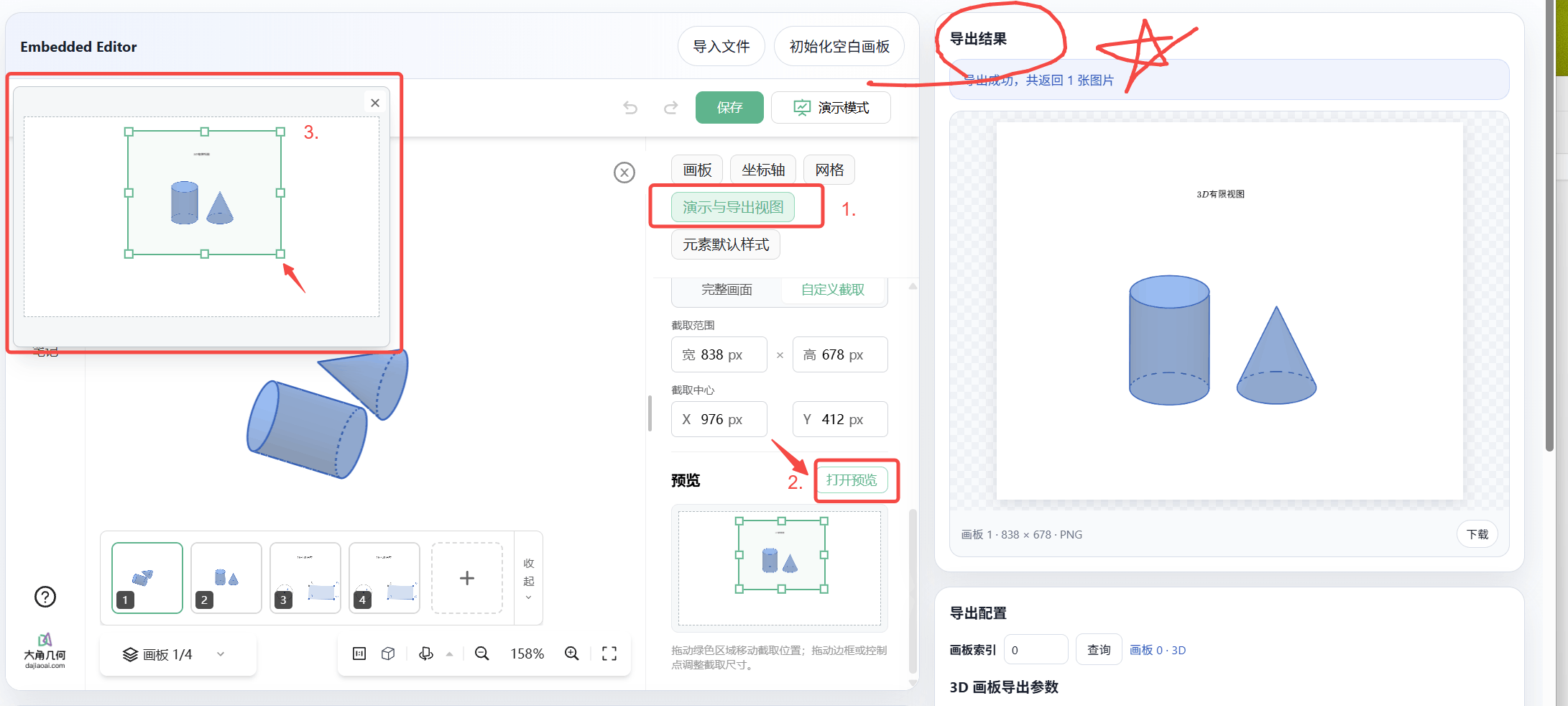
You can now save a fixed view for a 3D slide, including its viewing angle, zoom, projection, output dimensions, and crop area. Reuse these settings for subsequent exports to reduce repeated framing adjustments.
The fixed view is saved separately from the viewing angle used while editing. After rotating and inspecting a 3D figure, you can still export it from the preset angle, helping keep illustrations consistent across lessons and question banks. Fixed views can be enabled or disabled, and changes support undo and redo. Disabling a view preserves its settings.
More Flexible 3D Image Export
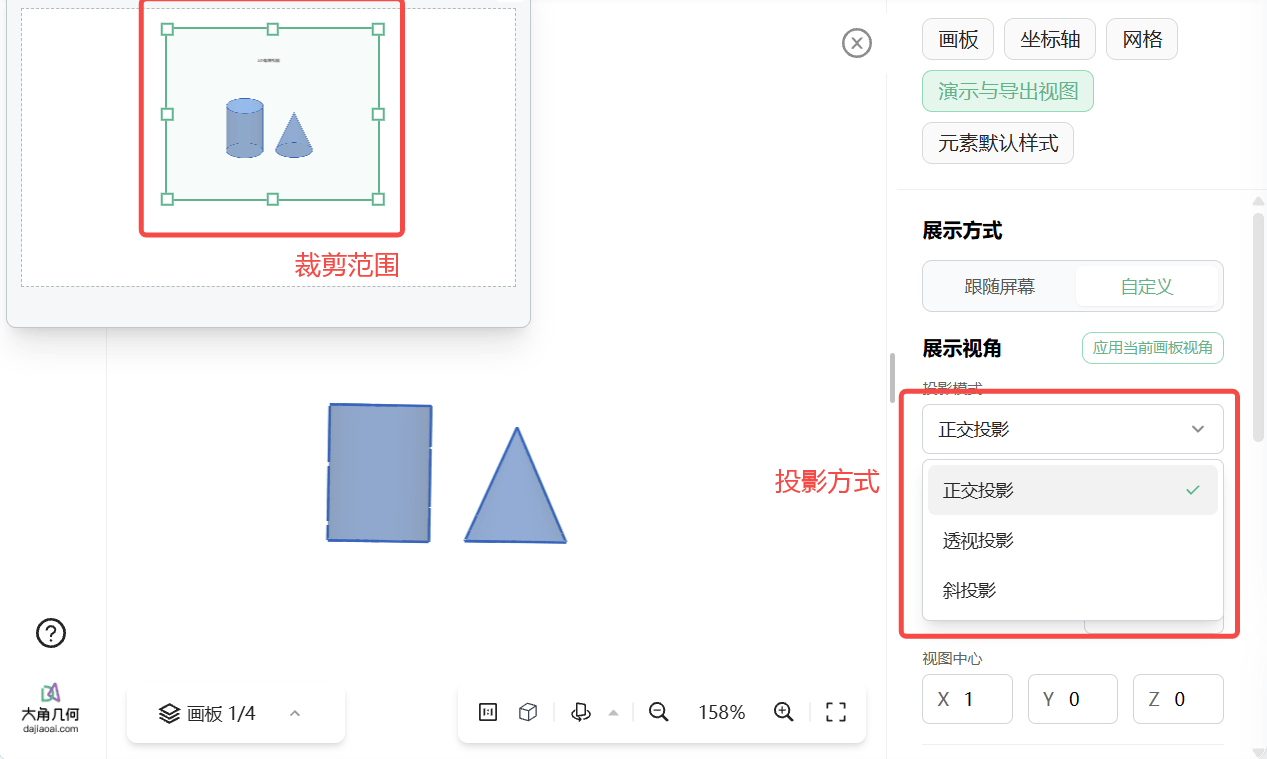
Choose orthographic, perspective, or oblique projection and adjust the viewport dimensions and crop area when exporting a 3D image. This helps show spatial relationships or focus on a specific part of a figure.
For a single export, you can also override the view settings to produce images with different angles or dimensions from the same slide. To show the entire figure, use a full-content export mode that frames the image around the figure's bounds.
Create Blank 3D Slides and Draw with Commands
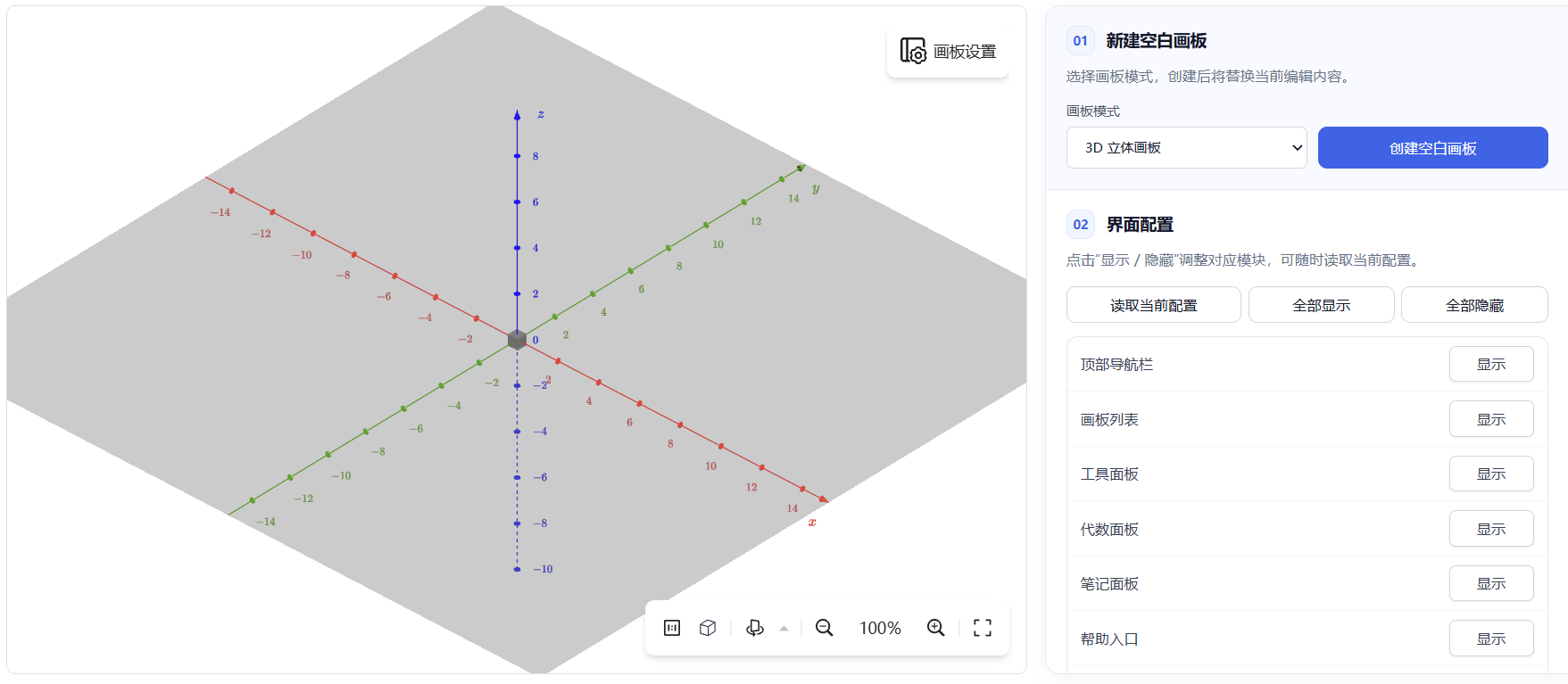
Integrators can create blank 2D or 3D slides directly, making it easier to add a “New 3D Geometry” workflow to their products.
Editor mode also gains command-based drawing. Applications can create and modify figures through commands and use undo and redo, supporting batch construction or drawing steps organized by the application.
Fixes and Improvements
- Easier loading of older files: Supported older file formats are converted automatically during loading, reducing format handling for integrators.
- Clearer initial content loading: When both initial content and a shared file are provided, initial content takes priority, avoiding an extra shared-file load.
- More slide information: Applications can query whether a slide uses 2D or 3D mode and offer the appropriate editing and export controls.
- More examples: Updated examples cover fixed 3D views, image export, and command-based drawing.
Upgrade Notes
Upgrade to SDK 2.15.0 to use the new capabilities. If you host embedded pages yourself, update them to a version that supports these features as well.
For integration details and the complete changes, see: