
Transparent Image Export Now Supported
- Type: New capability
- Published: 2026-09-20
- Effective: 2026-09-20
- Affected users: Developers exporting images through the SDK, MCP, and HTTP API
- Action required: Existing integrations need no changes. Pass
transparent: truefor transparent backgrounds; SDK users need version2.14.0or later
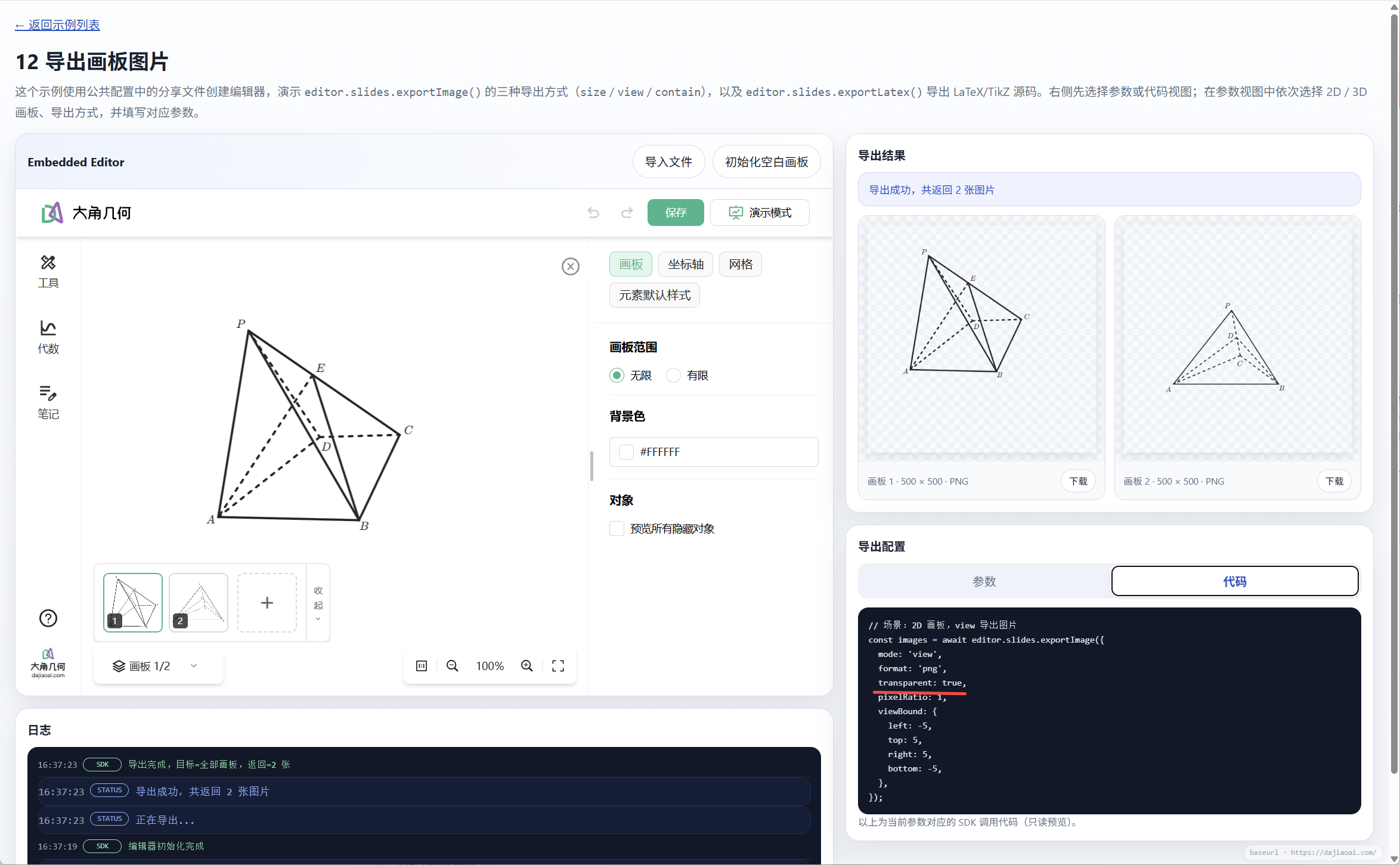
The Dino-GSP Open Platform now supports transparent image export. The SDK, MCP, and HTTP API share an optional transparent?: boolean parameter that skips background color filling, making it easier to embed geometry images in teaching materials, question banks, and pages with different background colors.
Preview
Parameter behavior and supported formats
true: Skip the full background color fill from the slide or master template and export with a transparent background.falseor omitted: Continue drawing the slide or master template background color, preserving existing behavior.- Only the background color is affected: Grids, axes, shapes, text, and images are still rendered normally.
| Export format | Transparent background support |
|---|---|
| PNG | Supported for 2D and 3D slides |
| SVG | Supported for 2D slides |
| JPG | Not supported |
| TikZ | Not applicable |
SDK
Starting with SDK 2.14.0, ExportImageBaseOptions includes the optional transparent?: boolean parameter, which defaults to false. It is available in all three image export modes: view, contain, and size.
With an existing editor instance, export the first slide as a transparent PNG:
const images = await editor.slides.exportImage({
  mode: 'contain',
  slideIndices: [1],
  format: 'png',
  transparent: true,
});
For 2D slides, you can also set format to 'svg'. See SDK image export for the full parameter reference.
MCP
Both export_image and export_image_3d now accept the optional transparent?: boolean input parameter. Add transparent: true to the existing tool arguments to export a transparent PNG from a 2D or 3D slide, respectively.
In an MCP client, you can also ask:
Export the current slide as a PNG with a transparent background, keeping the grid, axes, and shapes.See MCP integration for setup instructions.
HTTP API
The following endpoints now accept the optional transparent?: boolean parameter at the top level of the request body:
| Endpoint | Scope |
|---|---|
POST /api/render/v2 | 2D and 3D PNG export |
POST /api/render | Legacy PNG rendering |
POST /api/render-svg | SVG rendering |
Do not place transparent inside view2D or view3D. Save a complete project as project.algeo, then export the first slide as a transparent PNG:
jq '{
  content: .,
  slideIndex: 1,
  transparent: true
}' project.algeo | \
  curl -X POST https://api.dajiaoai.com/api/render/v2 \
    -H "Authorization: Bearer <API_KEY>" \
    -H "Content-Type: application/json" \
    --data-binary @-
This example works for both 2D and 3D slides and uses the target slide's saved camera mode and parameters. Existing legacy PNG or SVG integrations can also add transparent: true at the top level of their request body.